Los Angeles, CA * Webmaster@ADefWebserver.com |
|
Los Angeles, CA * Webmaster@ADefWebserver.com |
(estimated time to complete this tutorial is 30 minutes)
Ukrainian translation of this page provided by Dmutro Nechuporyk
This article is translated to Serbo-Croatian language by Anja Skrba from Webhostinggeeks.com.
|
|
|
||
| Note: This tutorial is in C# but the code in VB is available here: Things4SaleVB_02.00.00_Install.zip | |||
Also see: |
|||
|
|
|||
|
This tutorial will show you how to create a DotNetNuke module using LINQ to SQL. This will greatly speed module development. |
|||
SETUP
Follow one of the the options below to install DotNetNuke and
to create a DotNetNuke Website:
|
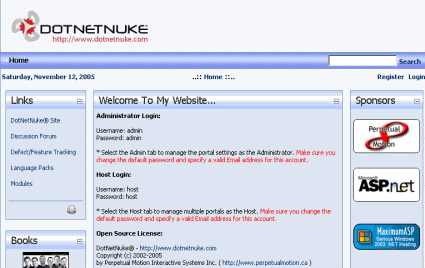 |
||
Install Visual Studio Express 2008 if you haven't already done so. (download) |
|||
|
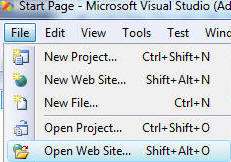
Use Visual Studio 2008 to open DotNetNuke:
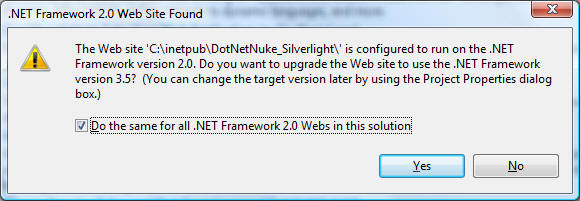
You may get a message like this:
Click Yes. This will add the needed changes to the web.config to allow LINQ to SQL to run. |
|||
|
In Visual Studio, select "Build" then "Build Solution". You must be able to build it without errors before you continue. Warnings are ok. |
|||
Are you Ready to Create the Module?You must have a DotNetNuke 4 website up and running to continue. If you do not you can use this link and this link to find help. DotNetNuke is constantly changing as it evolves so the best way to get up-to-date help and information is to use the DotNetNuke message board. I am sorry I will not be able to respond to individual requests for help on set-up issues. I will be able to help on issues related to the module this tutorial covers. |
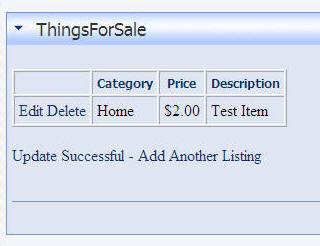 |
||
|
|||
| You can download the finished module at this link. | |||
|
Note: In order to run this module on another DotNetNuke site, you need to install ASP.NET 3.5 on the server and modify the web.config of the DotNetNuke site. Use this program: LinqPrep to add the required keys to the web.config file. |
|||
| Also: See this link for Creating a module package | |||
Next: Setting Up The Module
|
|||
 Buy DotNetNuke Modules from Snowcovered |
DotNetNuke® is a registered trademark of the DotNetNuke Corporation